Local Classroom Automation: Rebuilding Precalculus Notes
June 16, 2026, 2:30 pmIn my last post I talked about building an Apple TV app. That's exciting, but honestly it's not something most teachers are all that interested in.
This one is different. This is an AI-assisted project I think a lot of teachers could actually pull off: an automated system for building print-ready classroom handouts that runs entirely on your local computer. No servers. No cloud accounts. No database. Just a free text editor, a free typesetting tool, and an AI agent writing the glue code to connect them.
The Handout Problem
Here's my classroom workflow for notes. I handwrite or type a set of math problems in advance, project them on the big screen in class, all in Notability. Then during class I annotate on top of them using my iPad, handwriting solutions, drawing diagrams, scrawling all over the problems. The final output is a PDF that's got typed text and handwriting all mixed together.
I have years of these notes, and I build on them from year to year. If things need to be changed, moved around, etc. then I make a note of it and when I duplicate the blank note in the next year I make those changes. Iterative changes from one year to the next. I've noticed that some units go smoothly, maybe I got lucky and it was well formed the first time so there isn't much that needs to be changed? Then I've noticed that some units feel clunky and even after changing things from one year to the next it still feels clunky.
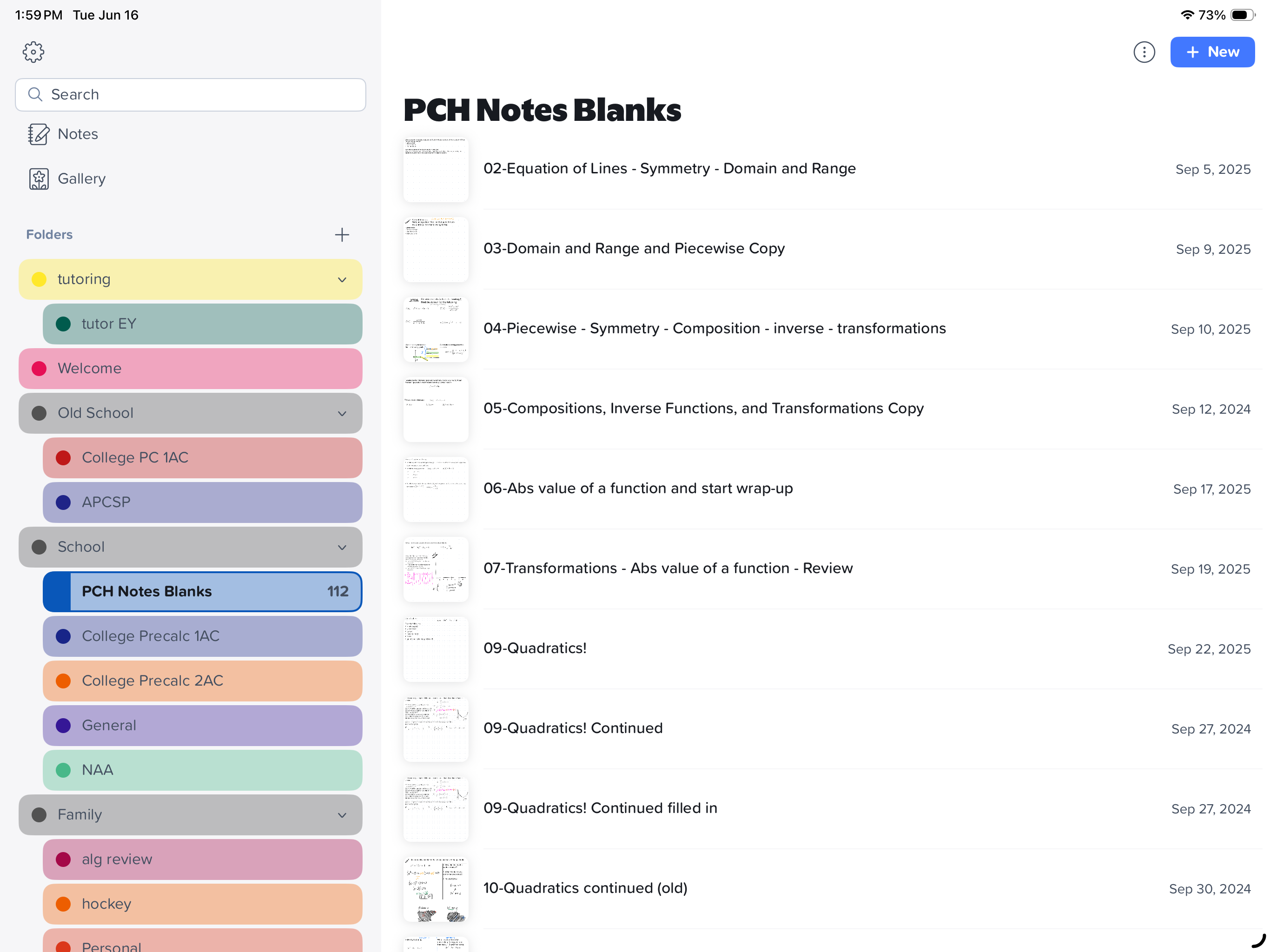
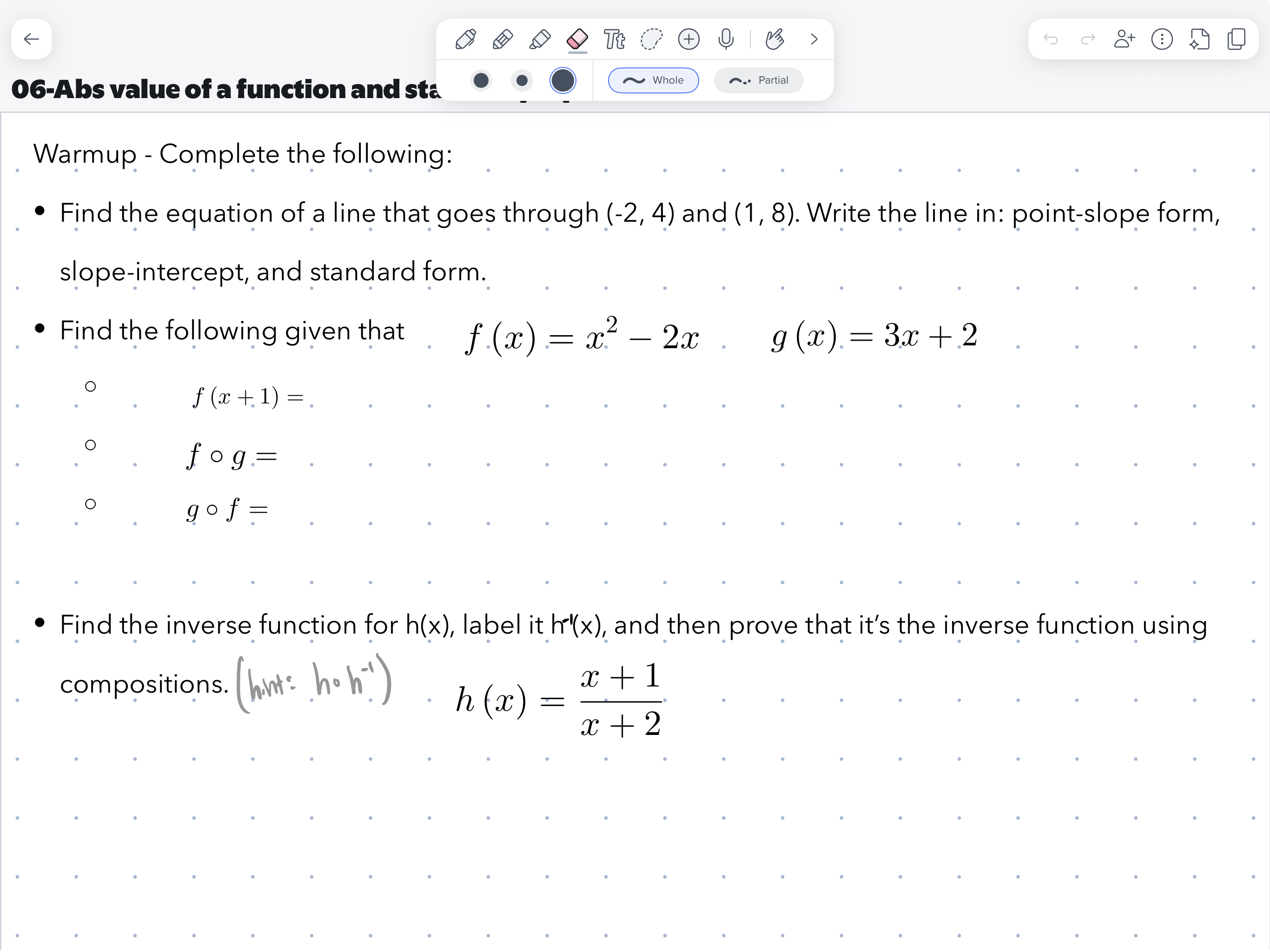
The problem with this system is that maintaining and updating handouts is a nightmare. If I want to add an example, adjust spacing, or restructure a lesson, it requires manually copying text, adjusting layout alignment, and exporting again. It's a constant source of frustration. For years, "fixing the handouts" was on my to-do list in a permanent, guilt-inducing kind of way.
So I decided to have AI fix it.
Ingesting the Old Stuff
The first thing I did was feed the agent all the unit PDFs. I copied over copies of each completed notes file from this past year, broken into unit folders.
Here's something I hadn't thought much about before doing this: the agent can read typed text from a PDF pretty easily, but handwriting is a different story. To handle my hand-annotated pages, the agent was exporting the PDF pages as images and running OCR (optical character recognition) on each one. Math notation and freehand graphs add a layer of noise on top of that. Equations, arrows, underlines, circle-this, star-that. It wasn't a perfect extraction, but it was good enough to work from. Good enough to build a curriculum structure.
That's a recurring theme with agentic AI, by the way. It doesn't have to be perfect. It has to be good enough that the human can take it the rest of the way quickly. I don't trust the AI to make correct decisions all the time, but I've found that its decision making is pretty solid. It doesn't know my students like I do, nor my material, but it has digested hundreds of textbooks and websites and has a good idea of which ideas should follow other ideas.
Rebuilding the Curriculum
Before I asked the agent to generate anything, I described my teaching philosophy. My class structure for an 80-minute block looks roughly like this:
- Standing whiteboard warmup (spiral review of past material)
- Brief notes/chat/walkthrough
- More whiteboard examples together
- Students sit and record a reference example in their notebook
- Most days probably repeat this rough structure one more time
I typed that all out. I also explained that I teach College Precalculus at a public high school, the students are 10th through 12th graders in an honors-level course, the pacing is fast, and I generally want clear worked examples before I ever ask students to try something independently.
Then I said: here are the PDFs for this unit, build me a block plan that fits this structure.
It came back with a full unit outline, and it immediately made some pacing suggestions I hadn't asked for. For the functions unit, it suggested moving composition forward and bumping piecewise functions later, arguing that composition builds more naturally on function notation early on, and piecewise is complex enough to deserve its own focused day. I agreed. It was actually a better sequence than what I'd been teaching.
But the real back-and-forth started when I began layering on real-world classroom constraints.
First, I told the agent I had three Desmos Teacher Activities (each taking about 15 minutes) and asked it to make a best guess at where to place them within our 80-minute blocks. Then, I threw in a calendar puzzle: Block 1 of the school year had to be reserved for puzzles and first-day stuff, meaning I had exactly 5 blocks of instruction to cover all of Unit 1, with Block 7 reserved for review and working on the extended assessment, and Block 8 for the unit test.
The agent recalibrated the block plan to fit these parameters, shuffling the Desmos activities and pacing to hit the targets. When it tried to pack two massive topics into a single day to keep the schedule, I pushed back and said, "split this." It adjusted cleanly, no complaints, finding a way to balance the content load. The back-and-forth felt weirdly like planning with a colleague who had also read my teaching philosophy, one with no ego about it.
The Compiler: Obsidian and Typst
Here's where it gets a little technical, but stick with me, because this is the part that actually saves hours.
For editing notes, I use Obsidian, which is a free markdown text editor. My notes files are plain text (readable without any special software, easy to edit).
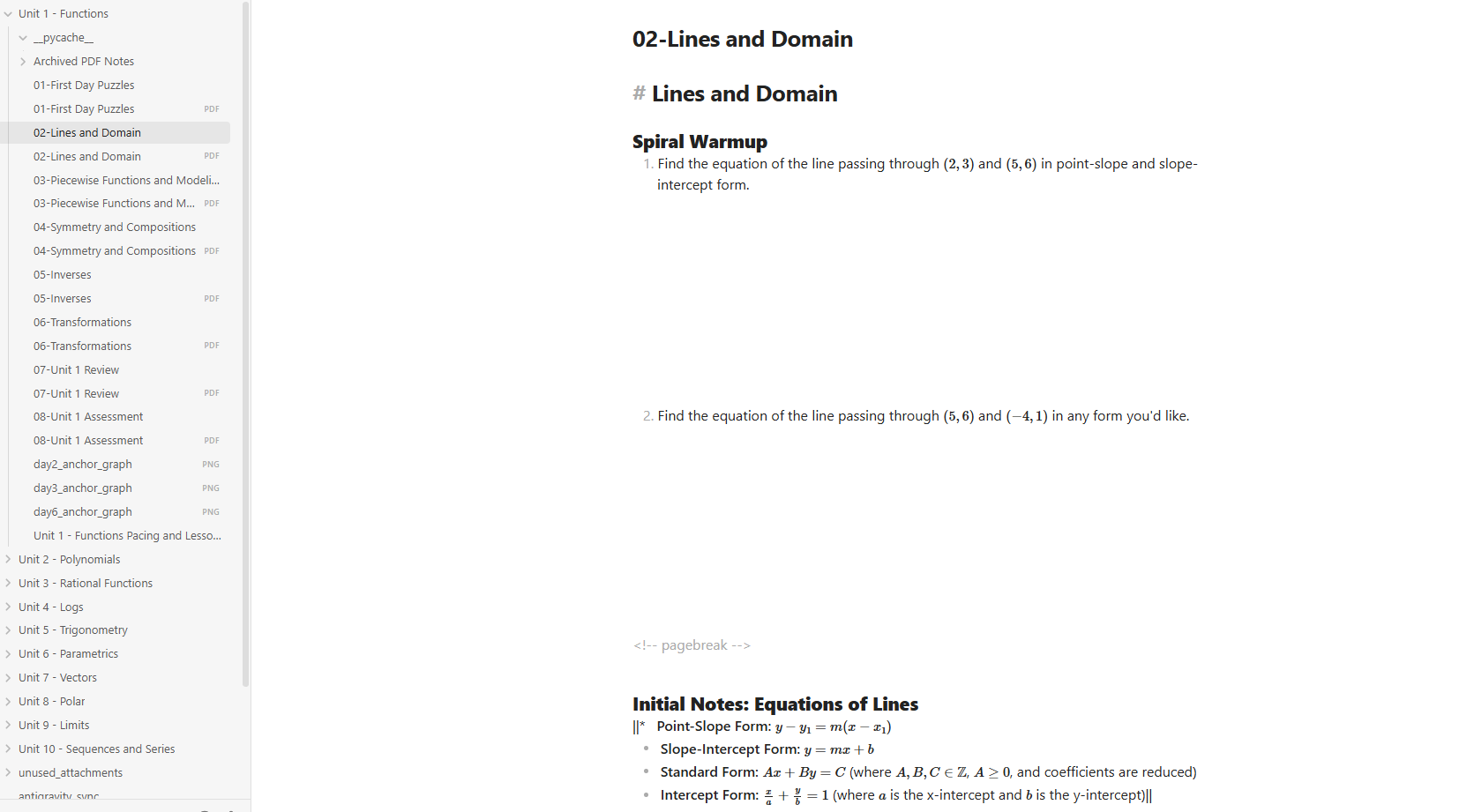 The agent wrote a Python script that reads those markdown files and compiles them into a PDF using Typst, which is a modern typesetting tool. Think of it like LaTeX but without a decade of arcane syntax to learn first. It's fast, it's readable, and the output looks great.
To compile the files, I double-click a batch file the agent created. The script converts the plain markdown and math equations into a beautifully formatted, print-ready set of PDF handouts in about a second.
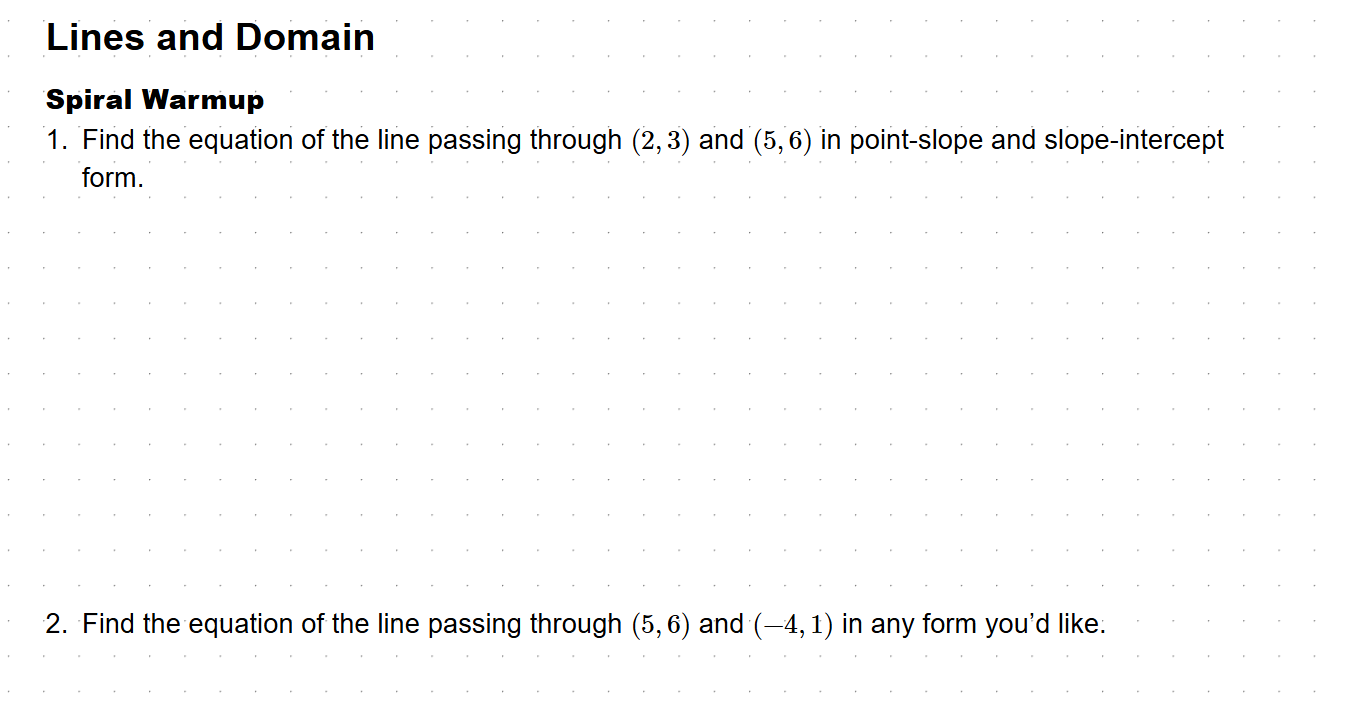 I want to be clear about what this means in practice. If I want to add an example to a lesson, I open the markdown file, write a new problem, save, and double-click the batch file. Done. The handout is updated. No manual typesetting, no copy-pasting, and no alignment headaches. That used to take me 20 minutes of layout frustration. Now it takes two.
The Desmos Workaround
One thing the agent couldn't do well was generate coordinate graphs inside the PDF. It tried (and to be fair, the attempt was impressive), but getting exactly the right window, axis scale, and visual style for a graph of a rational function or a trig curve from a text description is genuinely hard. The first few graphs were close but not right.
The workaround we landed on: the agent puts a labeled placeholder box in the layout where the graph should go, and outputs the Desmos-ready function notation in a comment right next to it. I open Desmos, paste the function, adjust the window to how I want it, export the image, drop it in the folder. The next compile picks it up automatically.
It's not fully automated. But it's fast, and the graphs look exactly how I want them. I'm not spending time futzing around in a graphing library trying to get axis labels to render. I'm spending 90 seconds in Desmos and moving on.
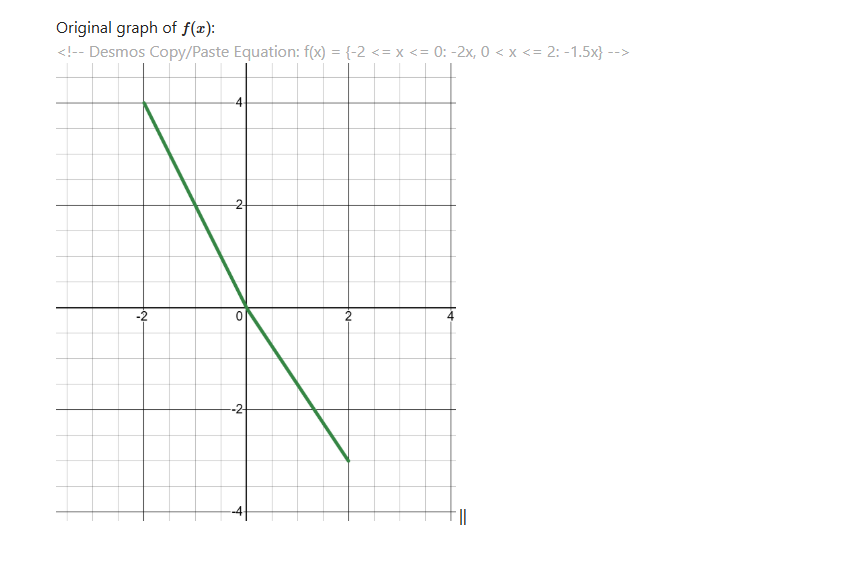 That's the pattern I keep seeing with these tools. The AI does 90% of the work. The last 10% is where your taste and domain expertise actually matter. And because the scaffolding is done, that last 10% is actually kind of fun.
Spiral Review
The part I'm most excited about hasn't fully happened yet because school starts in September.
I do spiral review at the start of every class: a quick whiteboard warmup that revisits older topics. The problem is I'm really bad at tracking this manually. By December I've forgotten exactly what we covered in September and I default to whatever feels recent. Students lose retention on old standards because they don't come back often enough.
The setup is in place now to fix that. The agent has a record of every topic I've covered, which standard each topic maps to, and approximately when we last hit each one. I can ask it to generate warmup questions automatically as we go through the year, interleaving old material with new. Not just "review this unit" but "here are two questions on September's content that I haven't revisited since October."
I think that's genuinely better than what I can do in my head. And it compounds: the longer the year goes, the more useful it gets.
We'll see how the blocks feel in practice once I'm actually in the classroom. Whether the pacing is right, whether there's too much or too little for 80 minutes, whether the spiral review cadence works. I won't know until September. But the ability to edit a text file, run a script, and have updated print-ready PDFs in under a second is already a real change from my old workflow.
What's your version of "the handout problem"? The thing you keep saying you'll fix and never do? I'm curious whether this kind of setup (markdown + a compile script) would work for it.